


Manage settings
Manage challenge tournaments
Enable and configure the challenge tournaments module for your members
Challenge tournaments let your members take part in fun competitions and challenges within your club. This section guides you through quickly enabling and configuring this enriching module. For full tournament management, see the dedicated chapter “Create and manage challenge tournaments”.
Go to the Challenge tournaments section
From your admin dashboard, navigate to Settings, then select Manage challenge tournaments.
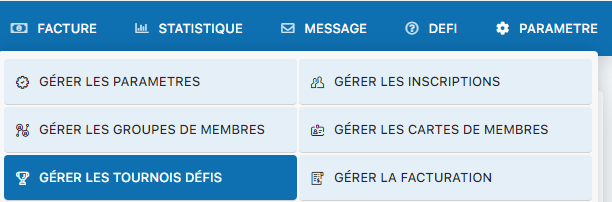
Menu for accessing challenge tournament settings
Enable the module
Select Yes to enable the challenge tournaments module in your system. This will allow your members to access tournaments and challenges.
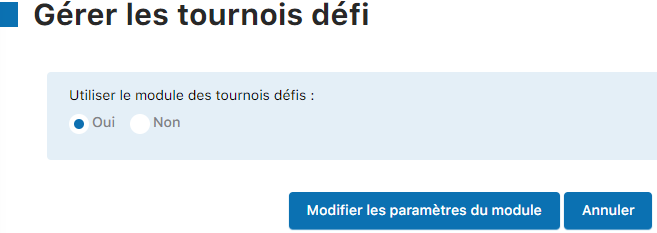
Selecting Yes to enable challenge tournaments
💡 Tip: To fully create and manage your challenge tournaments, see the chapter “Create and manage challenge tournaments” in this manual. You will find all the detailed instructions for setting up your competitions there.
Plugin.ch Tutorial — Manage settings