


Manage courts
Manage court groups
Group your courts by type for simplified management
Court groups let you organize your courts by category. You can group them by surface type (clay courts in orange, artificial turf courts in green), by access hours, or by any other criteria relevant to your management. This organization simplifies the overall management of your facilities.
Go to group management
From the main menu, click SPORT, then select Manage court groups. This takes you to the group creation and management interface.
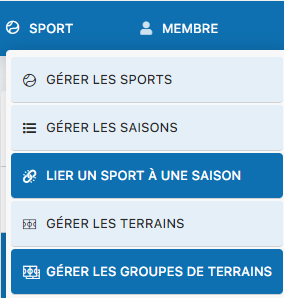
Access to the menu for managing court groups
Create a new group
The management interface lets you create groups with a descriptive name and an associated color. This color will make it easier to visually identify the courts belonging to the group in your booking system.
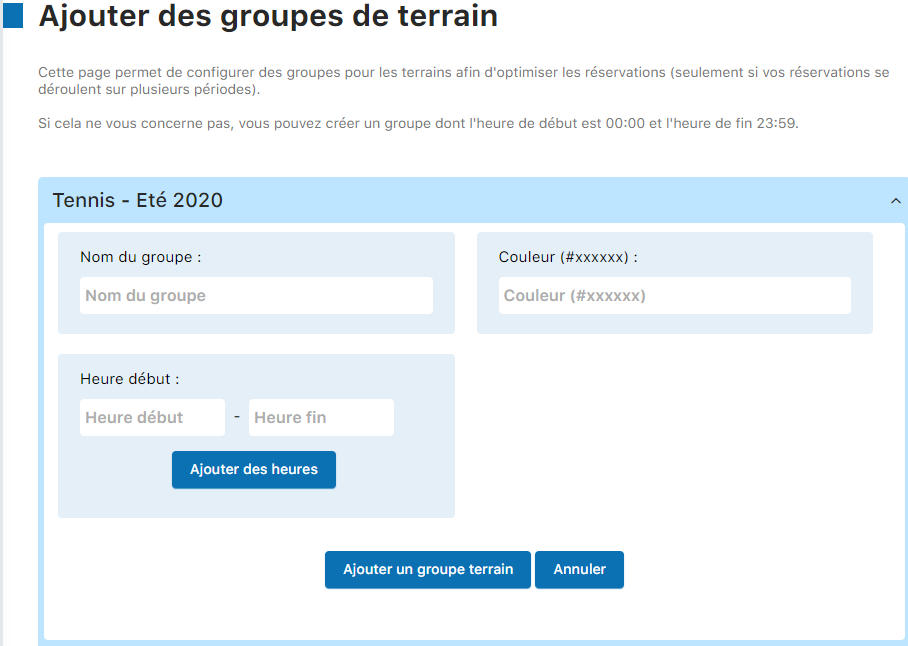
Creation form with the group's name and color
You can create as many groups as needed. Examples:
- Clay - Orange, for all clay courts
- Artificial turf - Green, for artificial grass courts
- Restricted access - Red, for courts reserved for members
Assign courts to groups
Once your groups have been created, go to Manage courts to assign each court to its corresponding group. When editing a court, you will find the option to select its group.
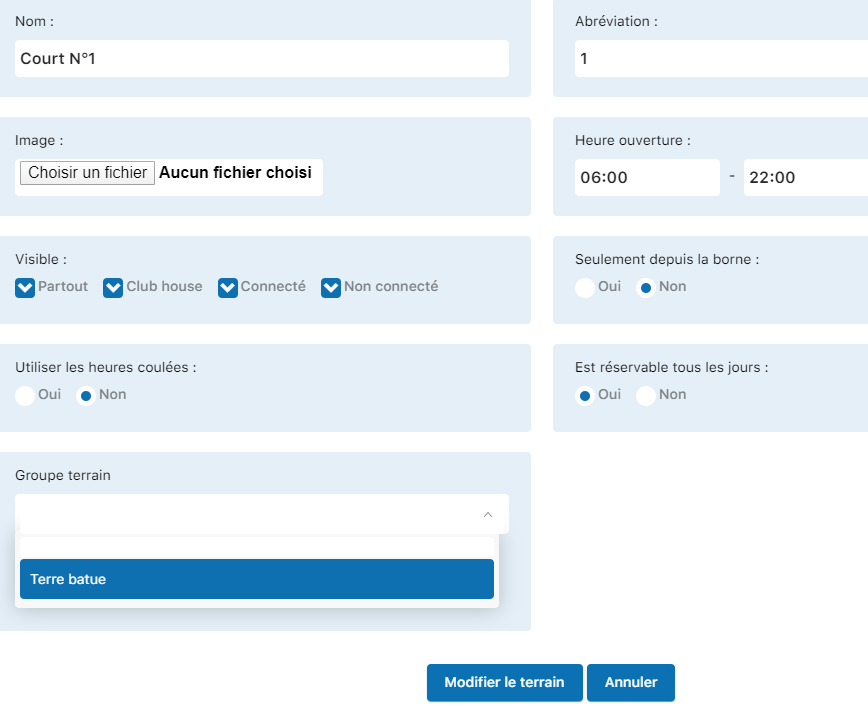
Interface for assigning a court to a group
Tip: Groups also let you apply different rules (hours, access restrictions, etc.) to sets of courts. A well-structured organization significantly simplifies the day-to-day management of your facilities.
Plugin.ch Tutorial — Manage courts